
📘 What it is
The Doc Repository is the central repository of exportable documents. It groups, by product and in folders, what you have already generated and approved. Depending on your content you will see:
- Intelligence Engine: approved documents (Product Brief, High-Value Promise, ICP, Buyer Personas, Communication Lines, Funnel Strategy and Creative Concept).
- Audiences & Offers and Communication & Funnels.
- System Playbooks: the approved playbooks.
- Approved sequences for email, LinkedIn and WhatsApp.
- Client Information: files you uploaded in the Diagnostic Form.
- Resource Library.
The repository shows the latest approved version of each document. Earlier versions are kept in their module of origin.
📍 Where to find it
Side menu → Main group → Doc Repository. It is visible to roles with read access to Creative Hub.
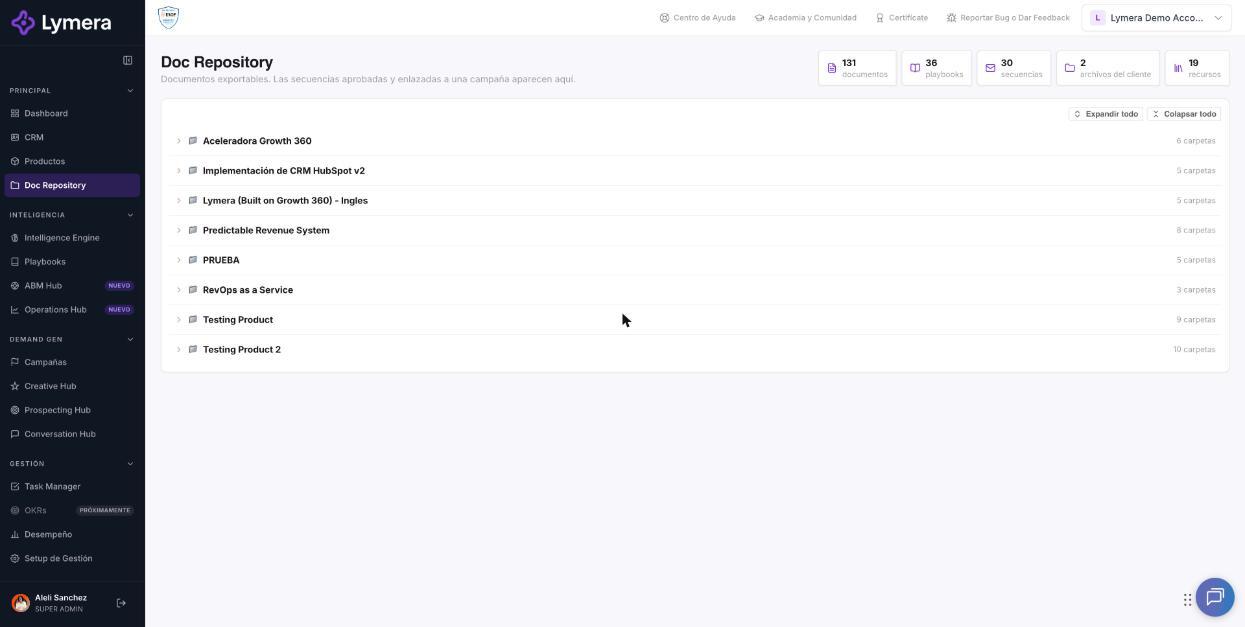
Screen: 4.8 How to browse and manage files in the Doc Repository
🛠️ How to do it
- Go to the Doc Repository.
- Find your product. If there are many, use Previous and Next to page through them.
- Click the product folder and then the subfolder you want. Use Expand all or Collapse all to open or close the whole tree.
- Click a document to open it in the viewer.
- In the viewer bar, choose Word, Google Doc or PDF.
- For Client Information files and resources, use Download or Open link.
❓ Frequently asked questions
❓ Why doesn't a sequence I just created appear?
It must be Approved and linked to a campaign. Drafts are not listed.
❓ Why don't I see a document?
It isn't approved yet, it is a sequence without a campaign, or its product is archived. Check its status in its module.
❓ Why do I only see one version of my playbook?
Only the latest approved version of each type is shown.
❓ Can I edit from here?
No. It is for viewing and exporting; edit in the module of origin.
🔧 If something doesn't work
| What you see | Likely cause | What to do |
|---|---|---|
| "No documents yet" | Nothing is approved yet | Click Go to the Intelligence Engine and approve your documents |
| "The repository could not be loaded" | Temporary failure | Click Retry or reload the page |
| "Exporting to Google Docs requires a connected Gmail account" | No Gmail account is connected | Connect it in your Profile, or export to Word or PDF |
| "The download could not be generated" | Temporary failure | Try again; if it continues, check with your Customer Success |
| "Your current role does not have access to the repository documents" | Your role doesn't have permission | Ask your Account Admin to review your role |
| "Document unavailable: it may have been archived or is no longer approved" | The document changed status | Reload the screen |