
📘 What it is
Communication and Funnels is the fourth and last module of the Intelligence Engine. The AI takes your Strategy, your Audiences, your Brand Voice and optional additional context, and generates three sections:
- Communication Lines: key messages and angles for each stage of the funnel.
- Funnel Strategy: the design of the sales funnel, with stages, triggers and advancement criteria.
- Creative Concept: the visual and narrative concept that unifies your communication pieces.
When the three sections are approved, your product's Intelligence Engine is complete (100%, "IE Complete" badge) and the product becomes Active.
📍 Where to find it
Side menu → INTELLIGENCE group → Intelligence Engine → your product → Communication and Funnels tab.
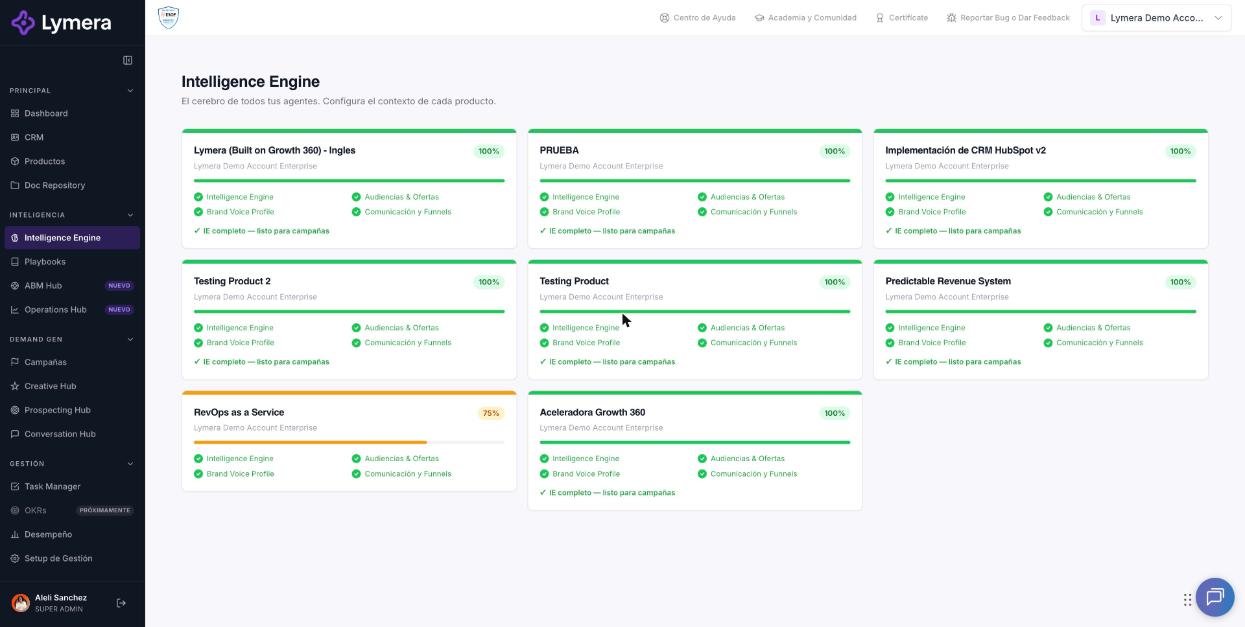
Screen: 2.5 How to generate, edit, review and approve Communication and Funnels in the Intelligence Engine
🛠️ How to do it
Before you start
Approve the Audiences & Offers documents. Otherwise you'll see "Module locked — Approve all the Audiences & Offers documents before generating the Communication and Funnels Strategy."
Generate
- (Optional) Open Additional context (optional) to improve the result: reasons your ideal customer buys (one per line, at least 8 are recommended), SPIN questions for Situation and Problem, and your diagnostic meeting link. Click Save context.
- Click Generate Funnels with Claude.
- You'll see "Claude is generating the Funnels...". It normally takes 3 to 5 minutes and you can browse to other sections in the meantime.
- If the generation takes too long, click Cancel generation so you can try again.
- When it finishes you'll see "Generated on {date}" with the three sections.
Edit, regenerate and download
Each section has:
- Edit: change the text and click Save changes (or Cancel).
- Regenerate: recreates only that section. Its current content is lost and you're asked to confirm.
- Word: downloads the section in .docx format.
- Unlock: appears if the section is approved and locked.
Submit for review and approve
- Click Submit for review in the module's top bar.
- On each section click Approve section and confirm with Yes, approve. Each approved section is locked for editing for 7 days.
- When all are approved you'll see "All sections approved! The Communication and Funnels module is complete. The Intelligence Engine is ready."
If you are the only person who sets up and approves, you can do the whole flow (generate, submit for review and approve) in a single session.
Export the Intelligence Engine
- In the "IE Progress" bar click Export.
- Choose the format:
- Word (.docx): downloads the latest approved version of each module. - Google Doc: creates a copy in your Google Drive. It requires a connected Gmail account in your Profile → "Gmail Accounts". - PDF: opens a print view; choose "Save as PDF".
- Only the approved version of each module is exported. If any is missing you'll see "Without an approved version (not included): …".
Document language
In Products, open the product with Edit and change Document language. What was already generated stays in the previous language; the next generations come out in the new one. To have a complete version in another language, use the Generate version in another language button in the Intelligence Engine, which translates everything into a new draft product.
❓ Frequently asked questions
❓ Why can't I generate Funnels?
Because some Audiences & Offers document isn't approved.
❓ Is the additional context mandatory?
No, but it improves the results.
❓ What happens if I cancel the generation?
It stops and you can try it again: "Generation cancelled. You can try again."
❓ If I change Audiences, does Funnels update?
It isn't rewritten on its own. Funnels will show "needs review" so you can decide whether to regenerate it or mark it as reviewed.
❓ Are drafts exported?
No, only the approved versions.
❓ Why can't I export to Google Docs?
There's no Gmail account connected in your Profile, or the connected one doesn't have Drive permission. Disconnect it and connect it again. In the meantime, you can use Word or PDF.
❓ Does translating use credits?
Yes, for each document or playbook translated successfully. The modal shows the estimated cost before you confirm.
🔧 If something doesn't work
| What you see | Likely cause | What to do |
|---|---|---|
| The generation doesn't finish | Process delay | Wait up to 5 minutes and reload. If it's still on "Generating…", use Cancel generation and try once more |
| "Error generating Funnels." | Temporary failure, no credits or a plan without Intelligence Engine | Try again; check your credit balance and talk to your Customer Success contact |
| Error when regenerating a section, but the content did change | The regeneration finished even though the notice was shown | Reload and check before regenerating again, so you don't spend credits twice |
| You can't approve a section | The module isn't under review or your role doesn't allow it | Click Submit for review or ask your Account Admin to review your role |
| The PDF doesn't open | The browser blocks pop-up windows | Allow pop-ups or use Word |
| The generation fails twice in a row | Temporary failure | Write to support with: company, user, product, time, affected section, whether you used Cancel generation and a screenshot |
🚀 Next steps
With your Intelligence Engine at 100%, you can now create your playbooks: