
# Quotes, invoices and account status
📘 What it is
When you sign up for Lymera, change plans or add services, your Customer Success Manager (CSM) sends you a quote. You review it on a secure public page, accept it and your account or the change is activated. In addition, your account has a status that determines what you can do: being in onboarding, in a trial period, active, pending payment, suspended or cancelled.
📍 Where to find it
- Quotes and invoices: side menu → Setup → Account & Billing → Quotes & Invoices tab. The quotes table shows Quotation, Plan, Status, Date and Actions, with the "View proposal" button. The statuses you'll see are "Sent", "Accepted" and "Activated". Available depending on your role (Account Admin).
- Proposal: the email with the quote includes a link to a page where you can review it, accept it and print it.
- Automatic renewal: in your plan information, "Automatic renewal" may appear with "Active" or "Inactive" and the "Contract end" date (depending on your contract and payment method).
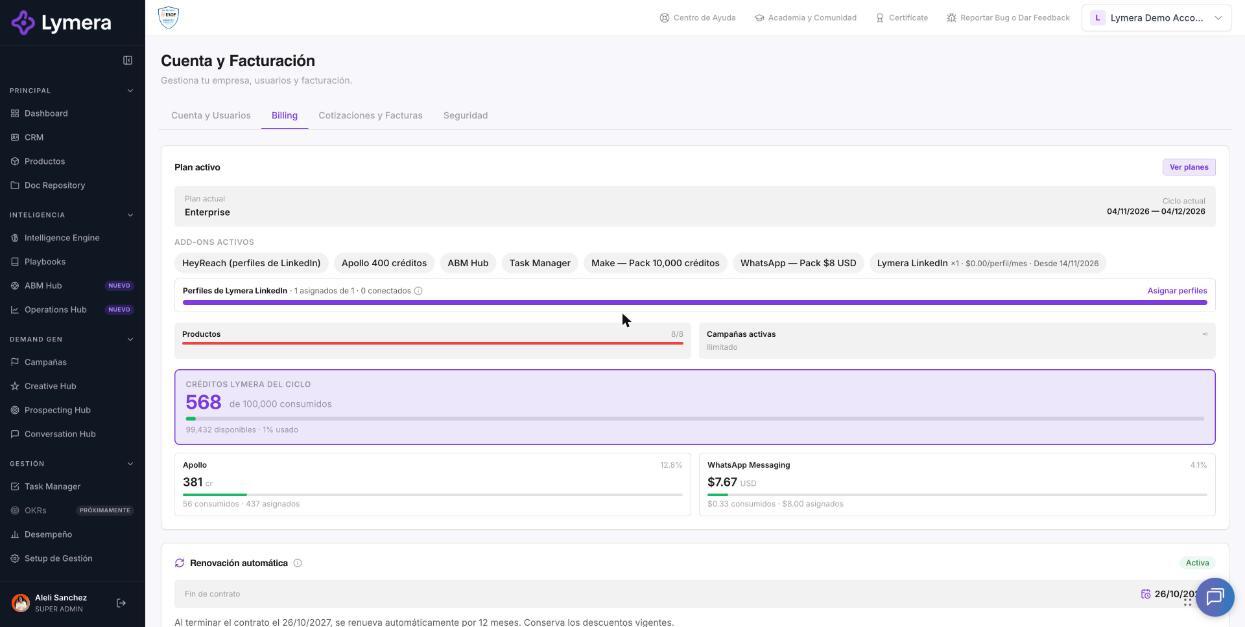
Screen: Quotes, invoices and account status
🛠️ How to do it
Accept a proposal
- Open the link in the email, or "View proposal" in Quotes & Invoices.
- Review the plan, add-ons and services.
- Click "Accept this proposal" and enter the billing details and the tax regime if applicable.
- Confirm your email: click "Confirm email", you'll receive a verification code and enter it ("✓ Email verified"). If it doesn't arrive, use "Resend code" (allowed once per minute).
- Check the terms box and choose the payment method. With monthly billing, payment is by credit card only.
- You'll see "Proposal accepted" and, depending on the method, the "Complete payment" button (card) or the transfer instructions. You can use "Print / PDF".
After accepting
- With a card, the account is activated when you complete the payment.
- With a bank transfer, your account stays in "Pending payment": make the transfer using the details on the invoice you received by email and let your Lymera executive know; as soon as the payment is registered, your team will be able to sign in.
Automatic renewal If it's active, when the contract ends it renews by itself for the same period and you continue to be charged. If it's inactive, the account is suspended when the contract expires. It can only be changed up to 1 day before it ends, on accounts with an active contract and linked billing.
Account statuses
| Status | What it means for you |
|---|---|
| Onboarding | Initial implementation stage, guided by your CSM. |
| Trial | Trial period; you'll see the days remaining and can request to activate a plan. |
| Active | Normal use according to your plan. |
| Pending payment | The first payment still needs to be registered; until then the team can't sign in. You'll see "Your account is almost ready". |
| Suspended | Read-only: you'll see "Account suspended — read-only access." No changes can be made and no automations or notifications run until it is reactivated. Contact your CSM. |
| Cancelled | Access is no longer possible; to export data or for questions, use "Contact support". |
❓ Frequently asked questions
Can I accept a quote without being an Account Admin? The proposal goes to the contact Lymera indicated. To see it inside the platform you need the right role.
The verification code doesn't arrive when I accept. Check spam and use "Resend code". If it doesn't arrive after several attempts, escalate.
I already paid by transfer but my account is still "Pending payment". Let your Lymera executive know and send the receipt; the status changes when the payment is registered.
My account is suspended. Do I lose my data? No, it isn't deleted. Contact your CSM to reactivate it. A cancelled account also keeps its data, but no longer allows access.
Can I download my quote? Yes, from the proposal with "Print / PDF".
The quote shows VAT. Why? VAT applies only to companies that are invoiced in Mexico, quoted in Mexican pesos. Others see prices in USD without taxes.
Am I charged monthly if I choose quarterly, semiannual or annual payment? Payment-by-period options carry a discount on the plan price (Quarterly −10%, Semiannual −15%, Annual −20%). Credits are allocated according to your plan; check the details of your contract with your CSM.
🔧 If something doesn't work
| Symptom | Common cause | What to check |
|---|---|---|
| The proposal doesn't open | Incomplete or expired link | Ask your CSM to resend the email |
| "Complete payment" fails | Problem with the card | Try another card; if it persists, escalate |
| Account "Pending payment" after transferring | Payment not yet registered | Send the receipt to your executive |
| "Account suspended — read-only access" | Non-payment, contract ended without renewal or manual suspension | Contact your CSM |
| I can't find the invoice | The invoice is managed by your CSM | Request it from your CSM |
When to escalate: payments that don't show up, errors when accepting or charging by card, or questions about a charge. Ask for: company, quote name or number, email used to accept, payment method chosen, date and time, receipt (if it's a transfer) and a screenshot of the error. Don't ask for full card numbers.